Causely requires traces to discover service dependencies and perform effective causal analysis.
Without traces, the platform's ability to provide value is severely limited.
Search for sources that provide Traces to ensure you have comprehensive trace coverage.
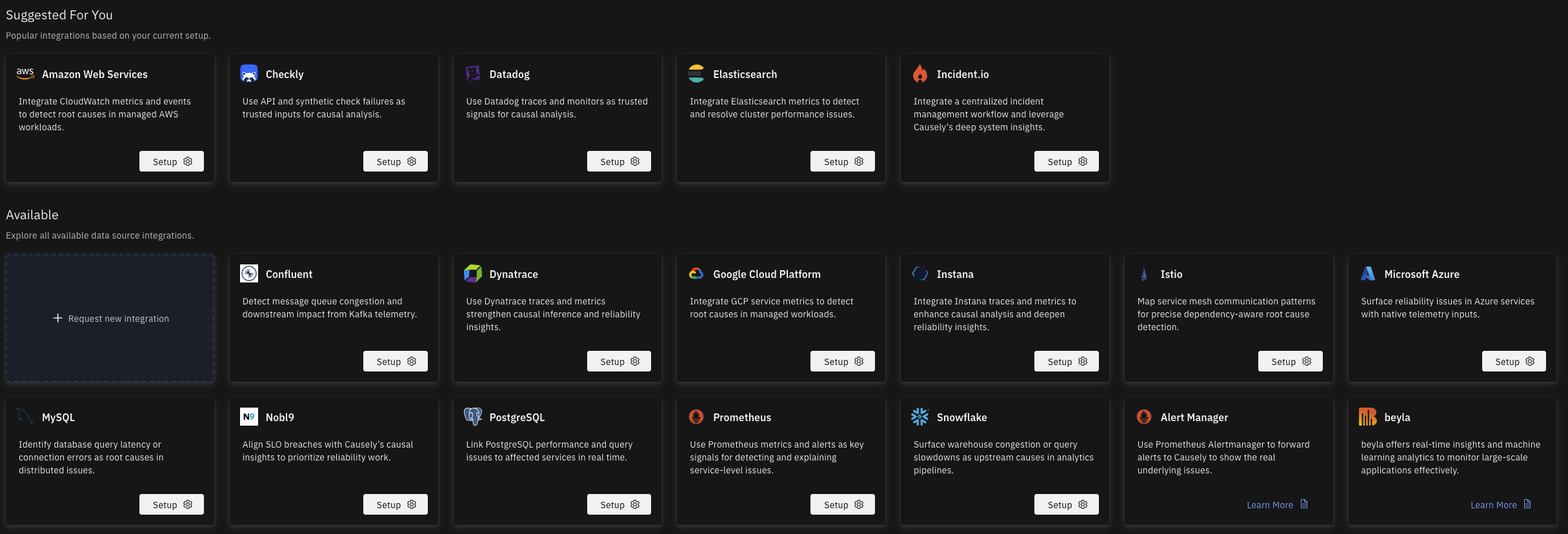
You can configure telemetry sources from the UI. Navigate to https://portal.causely.app/integrations to set up the integrations you need. You can then select the Mediator to which the configuration will be pushed down.
tip
Missing a telemetry source? On that same page, click on + Request a new integration to file a request to add the integration you need.
To ensure that Causely can reason over a wide range of symptoms and causes, that explain those symptoms, in your environment, it is recommended that you configure additional data sources if they are available.
Telemetry sources are organized into categories based on their purpose and the types of inputs they provide to Causely's causal reasoning engine.
Discovers infrastructure resources such as VMs, containers, clusters, databases, load balancers, queues, and disks. It imports their topology, metadata, and health indicators, forming the backbone of Causely's environment-specific model for causal mapping of infrastructure-level failure modes.
Inputs Provided to Causely: Metrics, Infrastructure Entities, Symptoms, sometimes Service Discovery, sometimes Logs
Provides quantitative telemetry (latency, saturation, throughput, resource usage) and domain-specific metrics (for example, Redis, RabbitMQ). Connects Causely to critical data systems (databases, caches, search systems, message queues), pulling topology, performance attributes, and state indicators. These signals populate Causely's Attribute Dependency Graph and reveal bottlenecks and root causes within data infrastructure.
Inputs Provided to Causely: Metrics, Infrastructure Entities, Symptoms
Provides traces and metrics through standard OTEL-based data pipelines (eBPF, Collectors, dual-shipping from Datadog, Odigos, groundcover, etc.). These sources enrich Causely's service graph and enable call-level causal reasoning.
Inputs Provided to Causely: Traces, Metrics, Symptoms
Supplies SLO (Service Level Objective) definitions and burn rate information (for example, from Nobl9). Causely uses SLOs as high-priority symptoms and impact indicators in causal reasoning.
Allows Causely to treat external alert triggers (for example, from Datadog Monitors, Checkly, Alertmanager) as explicit symptoms within the causal graph. This helps Causely analyze "why this alert fired" and resolve noisy or ambiguous alerts.


 Azure Managed Services
 Docker
 GCP Managed Services
 Kubernetes
 Nomad
Nomad Elasticsearch
 Grafana

 Prometheus
 Mimir
Mimir Cortex
 Redis
Redis RabbitMQ
 Kafka
Kafka CockroachDB
 MongoDB
 ClickHouse
 Confluent Cloud
 MySQL
MySQL PostgreSQL
 Snowflake
 C++
C++ .NET
.NET Erlang/Elixir
 Go
Go Java
Java JavaScript
 PHP
PHP Python
 Ruby
Ruby

 Swift
Swift Datadog
 Dynatrace
 eBPF
eBPF Groundcover
 Instana
 Istio
Istio

 OpenTelemetry

 Checkly
 incident.io