Want to accelerate resolution as well?
Ready to get precise root cause insights during incidents and resolve issues faster? Connect with our team today to try Causely and see how it can help you accelerate resolution.
This page explains how Causely helps you accelerate incident resolution by providing precise root cause insights when you need them most, reducing alert noise, and enabling faster problem resolution.
Once you've installed Causely, the system automatically generates your topology graph and identifies root causes that explain observed symptoms. For more details on how Causely builds this understanding, see How Causely Works.
To receive root cause insights during incidents, configure a workflow integration such as Slack, Microsoft Teams, or Alertmanager. See the workflows overview for all available integrations.
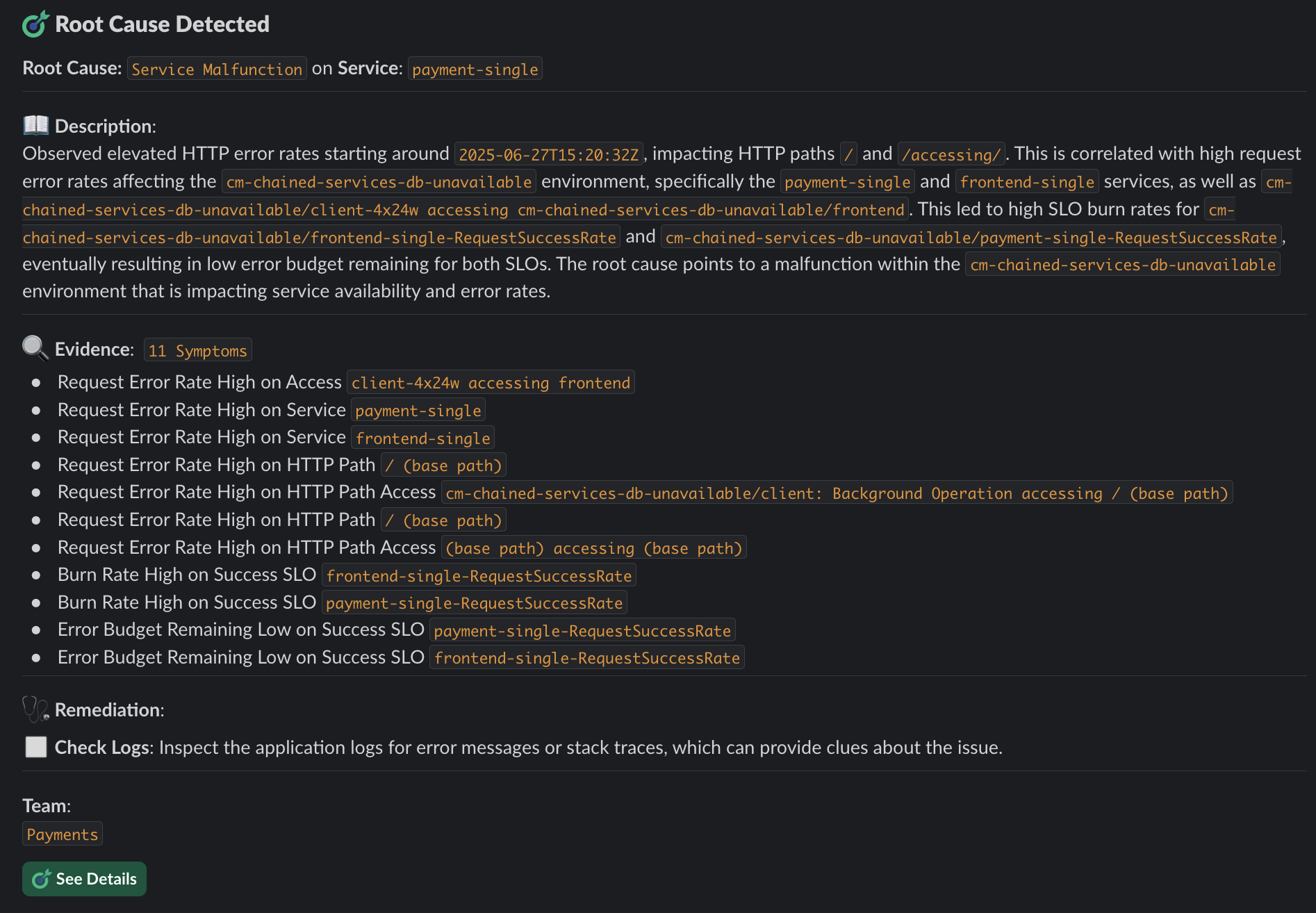
When incidents occur, Causely sends notifications for your root causes directly to your configured workflow. Unlike traditional alerting systems that create alert storms with one alert per symptom, Causely sends a single root cause notification that explains multiple symptoms. This dramatically reduces noise and helps you focus on what actually matters.

As an example, Causely sends a message to slack about a Service Malfunction, which is the cause of 11 symptoms across multiple services
and critical customer interactions.
The Root Causes view provides detailed information about each identified root cause:
Urgent root causes are marked red and indicate issues currently impacting your services and SLOs. Use this view to quickly understand what's wrong, why it's happening, and how to fix it.
To further accelerate resolution:
Define service priorities: Configure service tiers to help Causely prioritize which services matter most when identifying urgent root causes.
Connect more telemetry: Add additional telemetry sources to provide more comprehensive coverage and better root cause inference. More telemetry means more accurate and complete causal insights.
Configure thresholds: Set up thresholds to fine-tune when symptoms are considered problematic, helping Causely better identify urgent issues.
Configure symptom activation delay: Adjust symptom activation delay to balance between quick detection and reducing false positives. Shorter delays (1-3 minutes) enable faster root cause identification for critical services, while longer delays (5-10 minutes) help filter out temporary spikes.
Set up SLOs: Configure SLOs to help Causely understand your reliability goals and better identify when root causes are putting your SLOs at risk.


Ready to get precise root cause insights during incidents and resolve issues faster? Connect with our team today to try Causely and see how it can help you accelerate resolution.