Want to accelerate resolution as well?
Ready to get precise Diagnosis insights during incidents and resolve issues faster? Connect with our team today to try Causely and see how it can help you accelerate resolution.
This page explains how Causely helps you accelerate incident resolution by providing precise Diagnosis insights when you need them most, reducing alert noise, and enabling faster problem resolution.
Once you've installed Causely, the system automatically generates your topology graph and infers Diagnoses that explain observed Signals. For more details on how Causely builds this understanding, see How Causely Works.
To receive Diagnosis insights during incidents, configure a workflow integration such as Slack, Microsoft Teams, or Alertmanager. See the workflows overview for all available integrations.
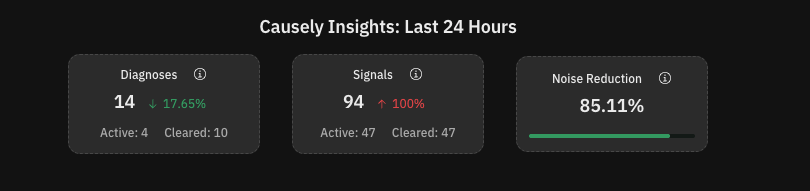
When incidents occur, Causely sends notifications for your Issues, including their Diagnoses, directly to your configured workflow. Unlike traditional alerting systems that create alert storms with one alert per Signal, Causely sends a single Issue notification that explains multiple Signals. This dramatically reduces noise and helps you focus on what actually matters.
As an example, Causely sends a message to slack about a Slow Consumer, which is the cause of 7 Signals across multiple services and key customer interactions.
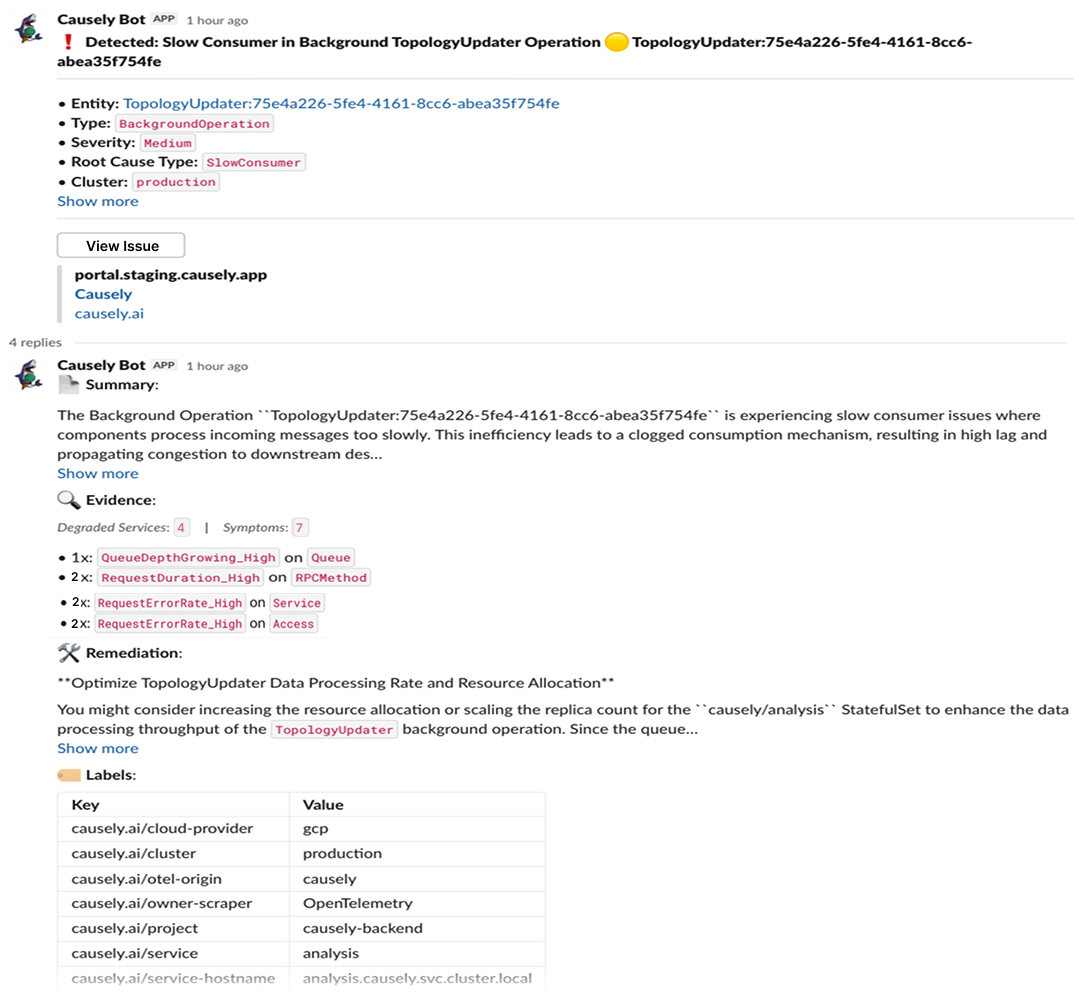
The Issue view provides detailed information about each identified Diagnosis:
Urgent Issues are marked red and indicate problems currently impacting your services and SLOs. Use this view to quickly understand what's wrong, why it's happening, and how to fix it.
To further accelerate resolution:
Define service priorities: Configure service tiers to help Causely prioritize which services matter most when identifying urgent Diagnoses.
Connect more telemetry: Add additional telemetry sources to provide more comprehensive coverage and more accurate Diagnoses. More telemetry means more accurate and complete causal insights.
Configure thresholds: Set up thresholds to fine-tune when Signals are considered problematic, helping Causely better identify urgent issues.
Configure Signal activation delay: Adjust Signal activation delay to balance between quick detection and reducing false positives. Shorter delays (1-3 minutes) enable faster Diagnosis for critical services, while longer delays (5-10 minutes) help filter out temporary spikes.
Set up SLOs: Configure SLOs to help Causely understand your reliability goals and better identify when Diagnoses are putting your SLOs at risk.


Ready to get precise Diagnosis insights during incidents and resolve issues faster? Connect with our team today to try Causely and see how it can help you accelerate resolution.