Ask Causely
Ask Causely is an AI-powered conversational interface built into the Causely system that helps you investigate incidents, understand service health, and analyze system behavior through natural language queries. Rather than navigating through dashboards and metrics, you can ask direct questions about your environment and receive contextual answers based on Causely's causal reasoning engine and real-time telemetry data.
Ask Causely understands your service topology, active incidents, and historical patterns to provide relevant insights whether you're troubleshooting an active issue, performing post-incident analysis, or proactively monitoring system health.
Investigating Logs and Alerts
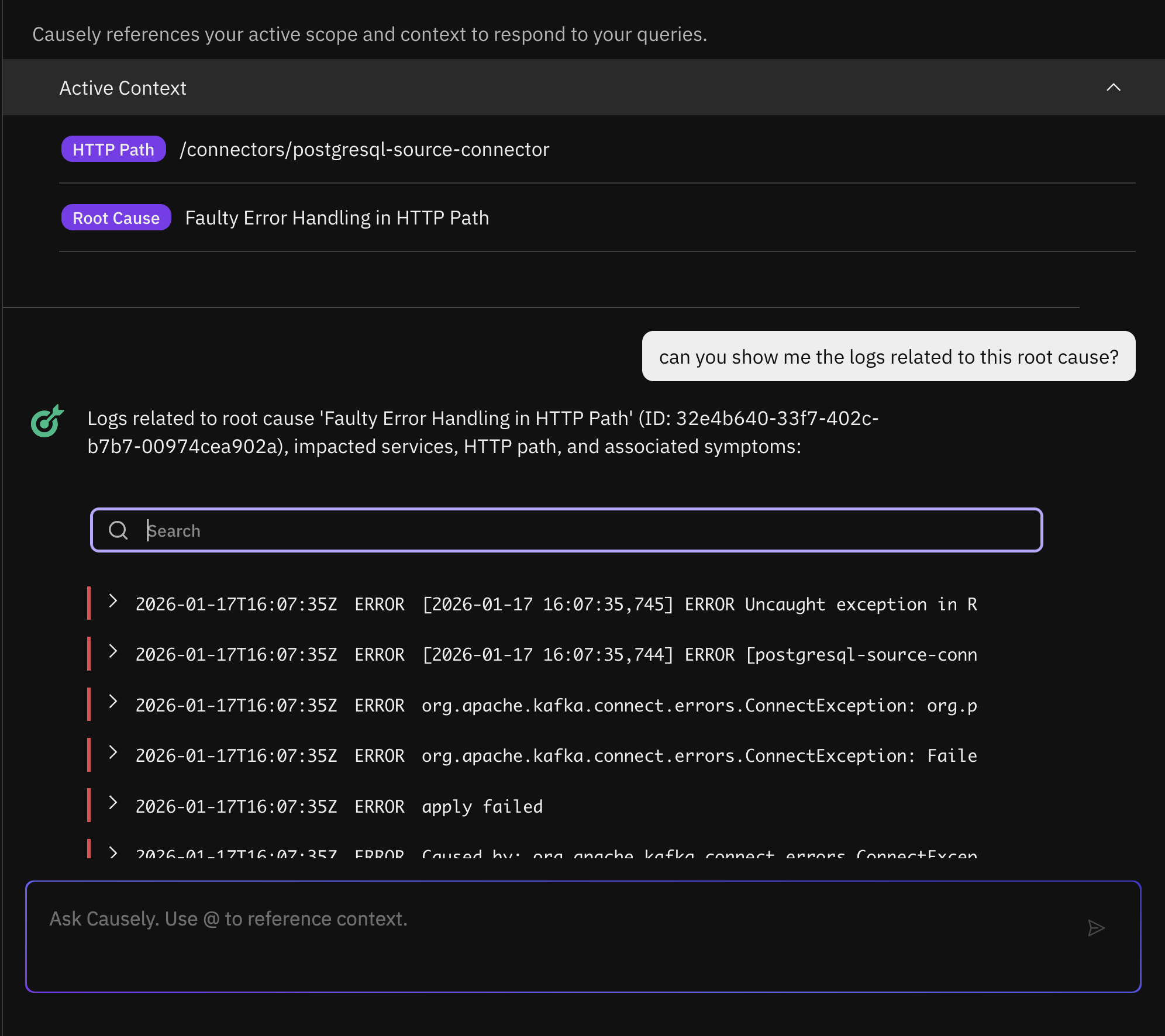
Ask Causely can answer follow-up questions about logs associated with specific root causes. Causely automatically correlates relevant errors and warnings from affected services or containers, and you can dig deeper by asking targeted questions to filter and retrieve specific logs, such as:
- "Can you show me all the error level logs associated with this root cause?"
- "Can you show me the logs related to Kafka on this root cause?"
Ask Causely also understands alerts from monitoring systems. If you paste an alert from Prometheus or Datadog, it can identify the underlying root cause or determine that the alert is spurious, with clear evidence so you don't waste time investigating noise.
Analyzing Slow SQL Queries
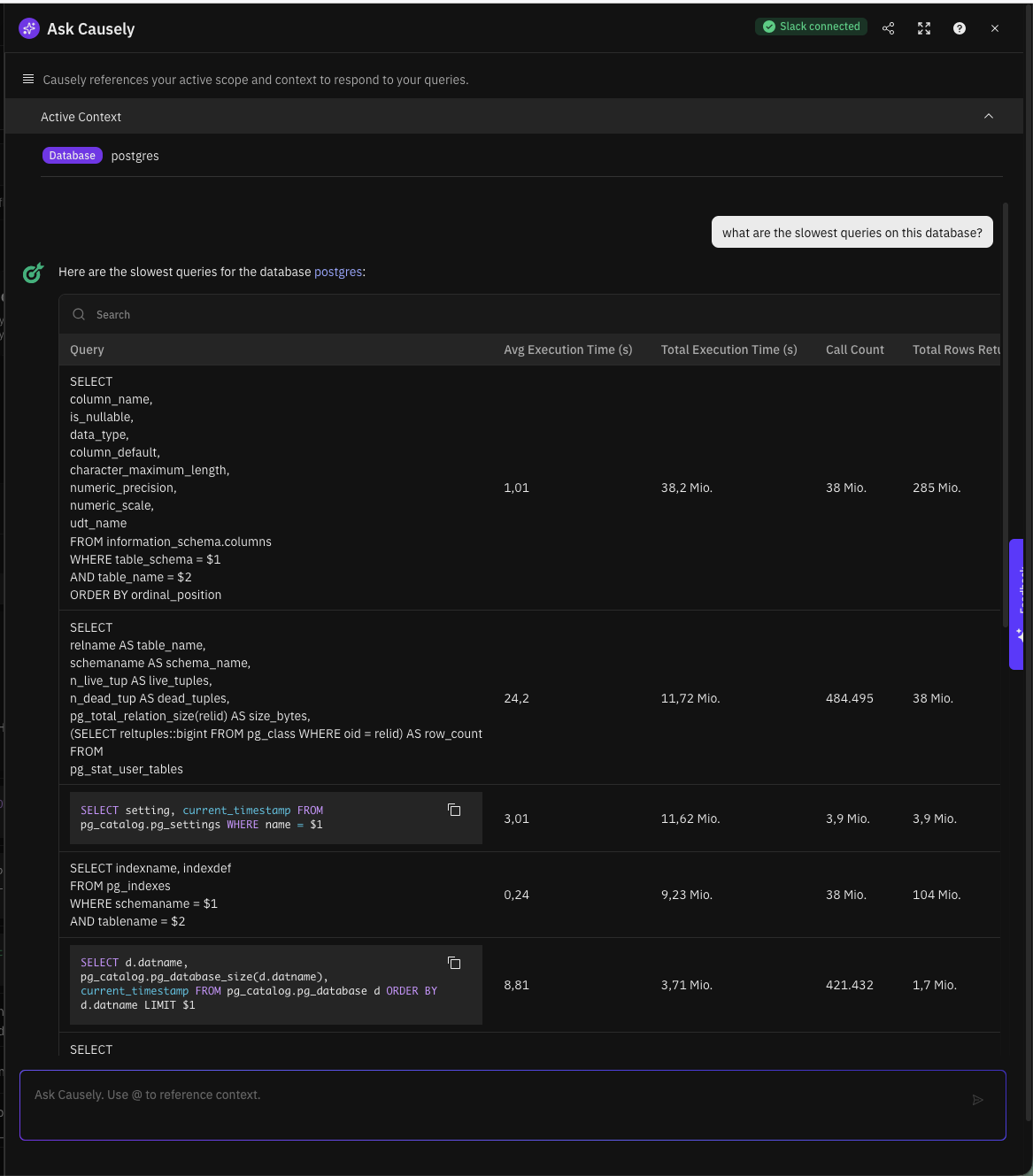
Ask Causely can help you troubleshoot slow database queries by analyzing query performance data collected from your PostgreSQL or MySQL databases. When Causely detects a Slow Database Queries root cause, you can ask follow-up questions to understand which queries are causing problems:
- "What are the slowest queries on this database?"
- "Which queries have the highest total execution time?"
- "Can you analyze the performance of queries hitting the orders table?"
Ask Causely can also generate service graphs showing query topology, helping you visualize which services are affected by slow queries and trace the impact through your system.
Enabling Ask Causely
If Ask Causely is not already enabled for your account, please contact your Causely representative or reach out to support to request access to Ask Causely.
Ways to Use Ask Causely
You can interact with Ask Causely through multiple interfaces, depending on your workflow:
- Web Interface: Built directly into the Causely UI for quick access with the full context of your environment
- Slack Integration: Communicate with Causely Copilot directly in your Slack channels
- MCP Server: Connect to Causely Copilot from your favorite IDE using our MCP server integration
Using Ask Causely in the Web Interface
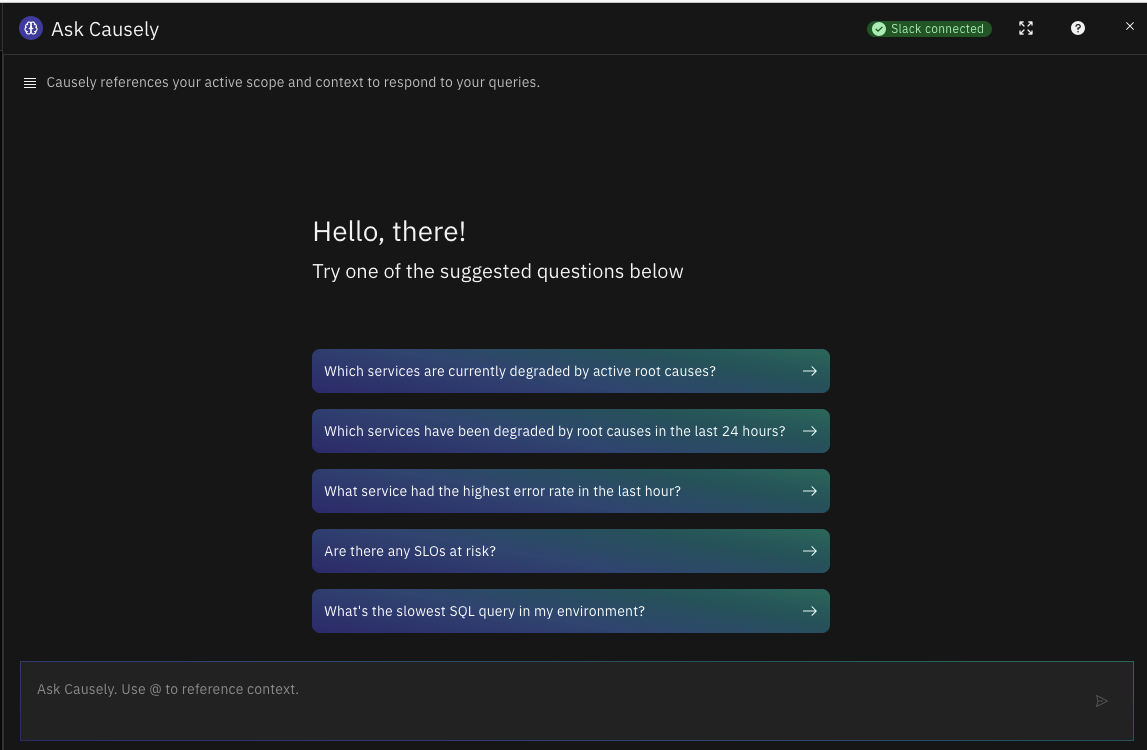
In the Web UI, Ask Causely is always only one click away. Click the Ask Causely button at the top right corner to start a conversation.
Ask Causely will reference your active scope and context to respond to your queries.
Slack Integration
Setting Up Slack Integration
To connect Causely with your Slack workspace, a workspace admin must click the Add to Slack button inside Causely. This action sends an approval request, which the Slack workspace admin then reviews and approves.
Using Ask Causely in Slack
Once the integration is configured, you can interact with Ask Causely in any channel where the bot is present by simply mentioning @Causely
followed by your question. You can ask questions naturally without needing special syntax or commands, and Ask Causely will respond directly
in the channel with relevant insights and context. You can continue the conversation with follow-up questions in the same thread, maintaining
context throughout your investigation.