Want to proactively prevent incidents as well?
Ready to identify emerging risks before they impact your services and SLOs? Connect with our team today to try Causely and see how it can help you prevent incidents proactively.
This page explains how Causely enables proactive incident prevention by identifying emerging risks before they impact your services and SLOs, helping you address issues before they escalate into incidents.
Once you've installed Causely, the system automatically generates your topology graph and identifies both urgent root causes and non-urgent root causes (emerging risks). For more details on how Causely builds this understanding, see How Causely Works.
To receive root cause insights, configure a workflow integration such as Slack, Microsoft Teams, or Alertmanager. See the workflows overview for all available integrations.
Causely sends urgent root causes directly to your configured workflow when incidents occur, helping you accelerate resolution. Additionally, Causely continuously creates non-urgent root causes that often call out reliability issues and emerging risks before they escalate into incidents.
Causely continuously monitors your environment and identifies potential issues before they escalate into incidents. Non-urgent root causes often represent emerging risks that can be addressed proactively. These are root causes that are active but not yet impacting your services and SLOs.
By detecting issues early, Causely helps protect your Service Level Objectives (SLOs) and error budgets. You can address problems before they impact user experience or violate SLO commitments.
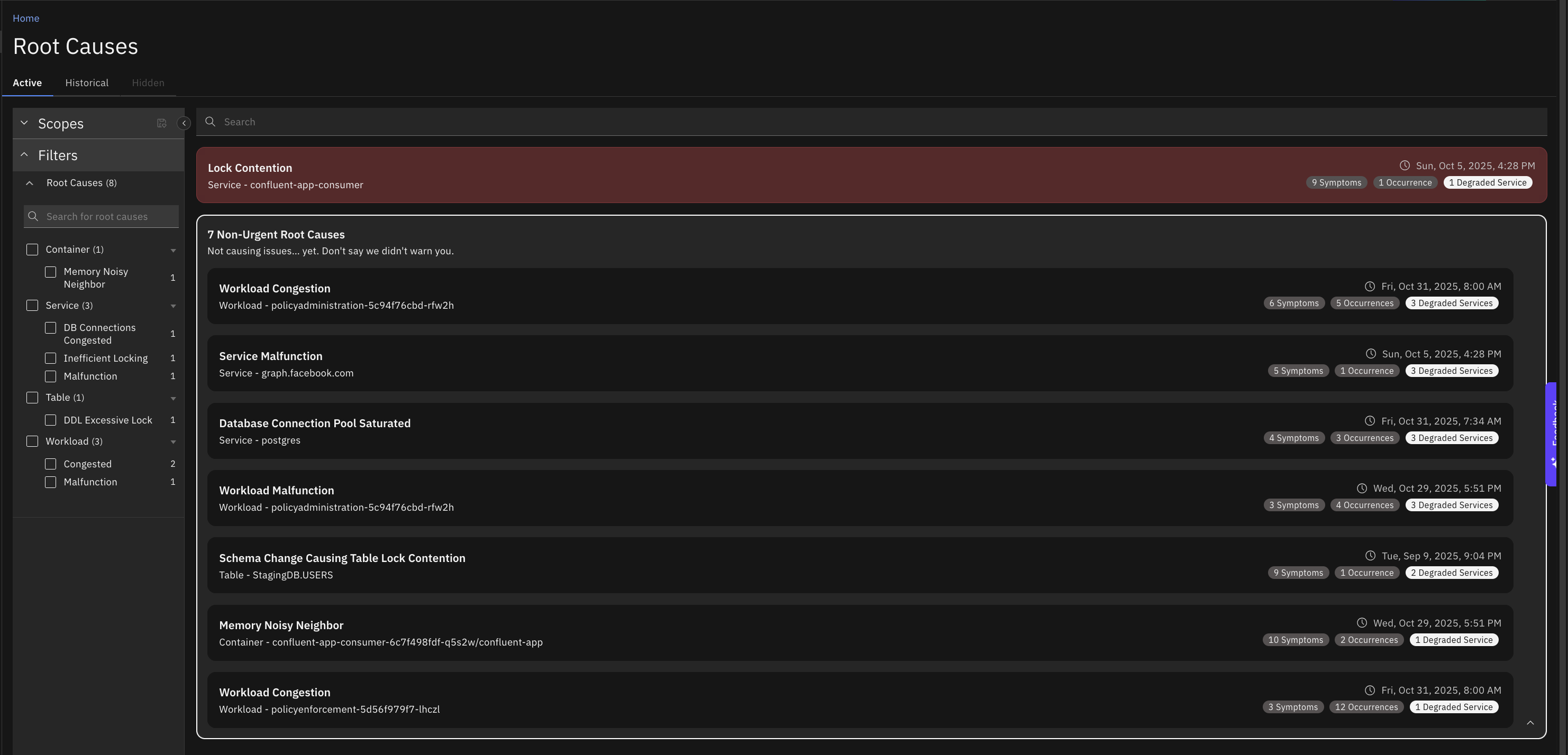
Use the Root Causes view to monitor patterns and trends over time. Review historical root causes to identify:
The Reliability Delta feature helps shift reliability left by allowing you to compare reliability snapshots and track improvements or regressions over time. Before deploying changes, you can create a snapshot to establish a baseline. After deployment, compare the new snapshot to identify any reliability regressions.
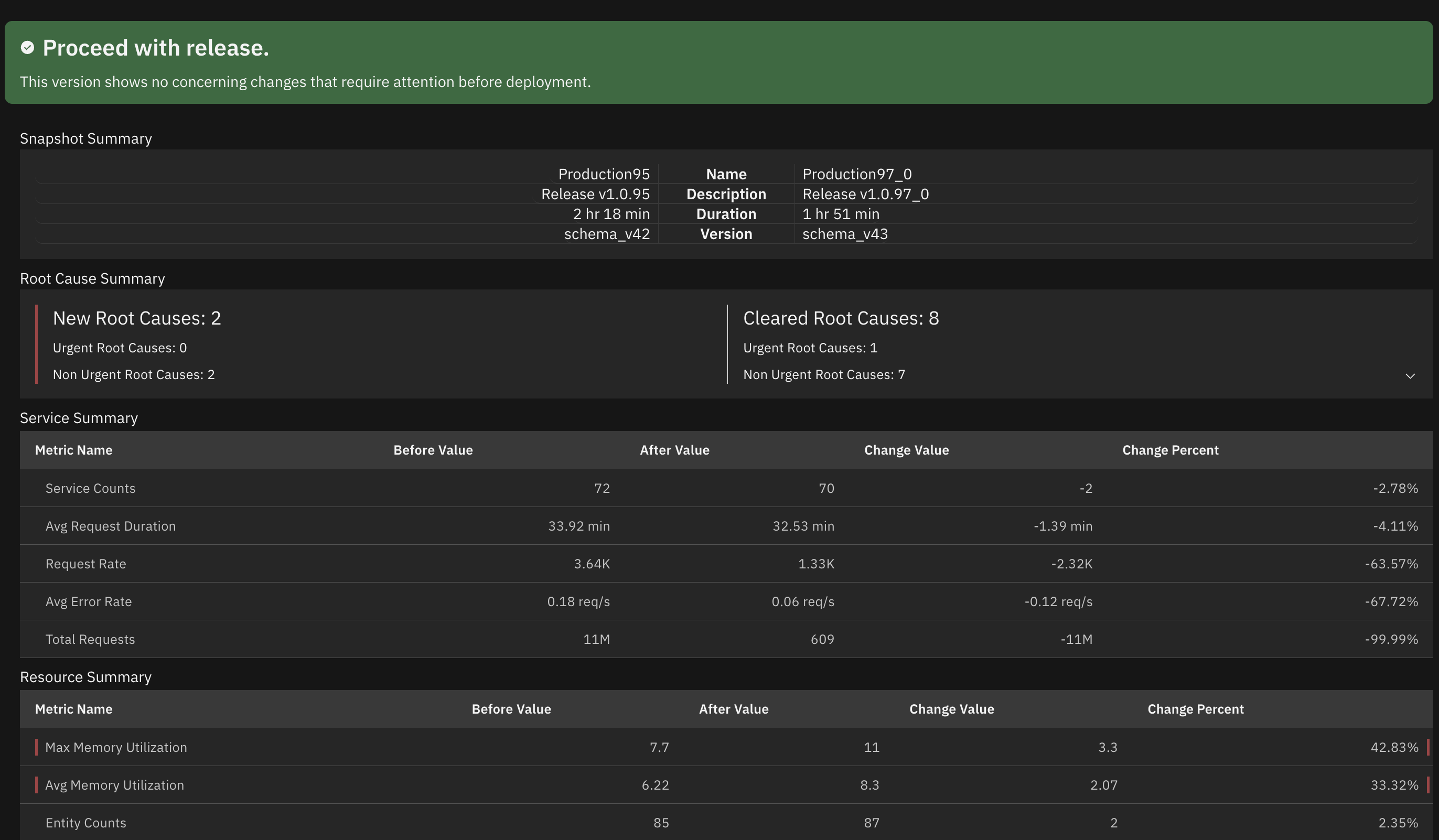
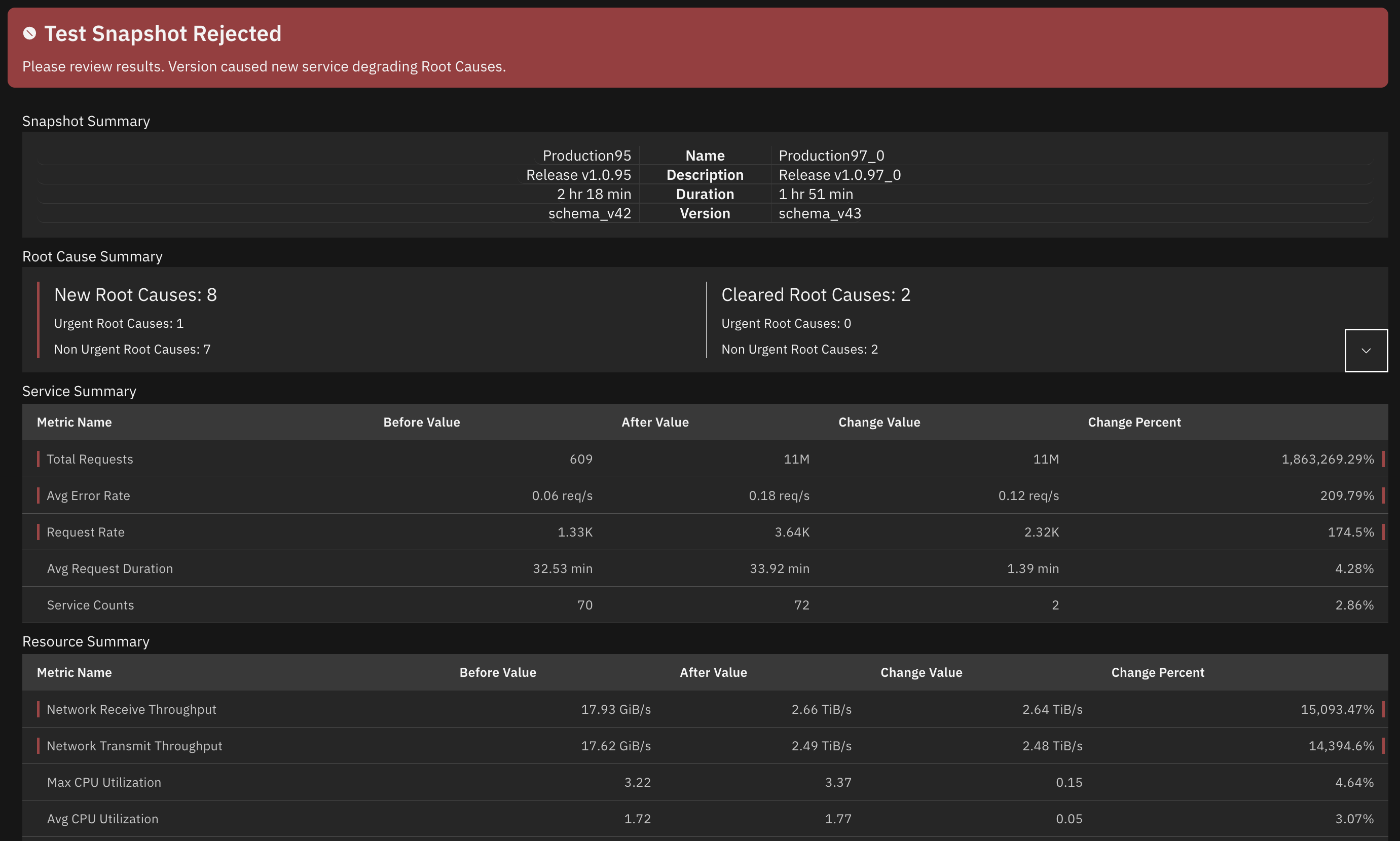
To better identify and prevent incidents:
Configure workflow connections: Set up workflow integrations such as Slack, Microsoft Teams, or incident.io to receive both urgent and non-urgent root cause notifications. This ensures you're notified about emerging risks as soon as they're identified.
Configure SLOs: Set up SLOs to help Causely understand your reliability goals and better identify when root causes are putting your SLOs at risk, even before they become urgent.
Set thresholds: Configure thresholds to fine-tune when symptoms are considered problematic, helping Causely identify emerging risks earlier.
Connect more telemetry: Add additional telemetry sources to provide more comprehensive coverage and better root cause inference. More telemetry means earlier detection of potential issues.
Define service priorities: Configure service tiers to help Causely prioritize which services matter most when identifying risks.


Ready to identify emerging risks before they impact your services and SLOs? Connect with our team today to try Causely and see how it can help you prevent incidents proactively.