v1.0.140
MCP output separates observed Signals from generated summaries
get_issues and get_issue_details now return the observed Signals and the generated summary as clearly distinct parts of the response. Before this change, agents received both in one block and could treat the summary as ground truth. Agents can now reason and act on the observed evidence, and verify the summary against it before taking a step.
MCP prompts guide agents on how to use Causely tools
The Causely MCP server now publishes prompts, as defined in the MCP specification, alongside its tools. Tool descriptions say what each tool returns; prompts tell an agent how to sequence tools for an investigation, consistent with the Causely skills. Agents connecting to Causely get the same investigation workflows out of the box, without a custom system prompt per client.
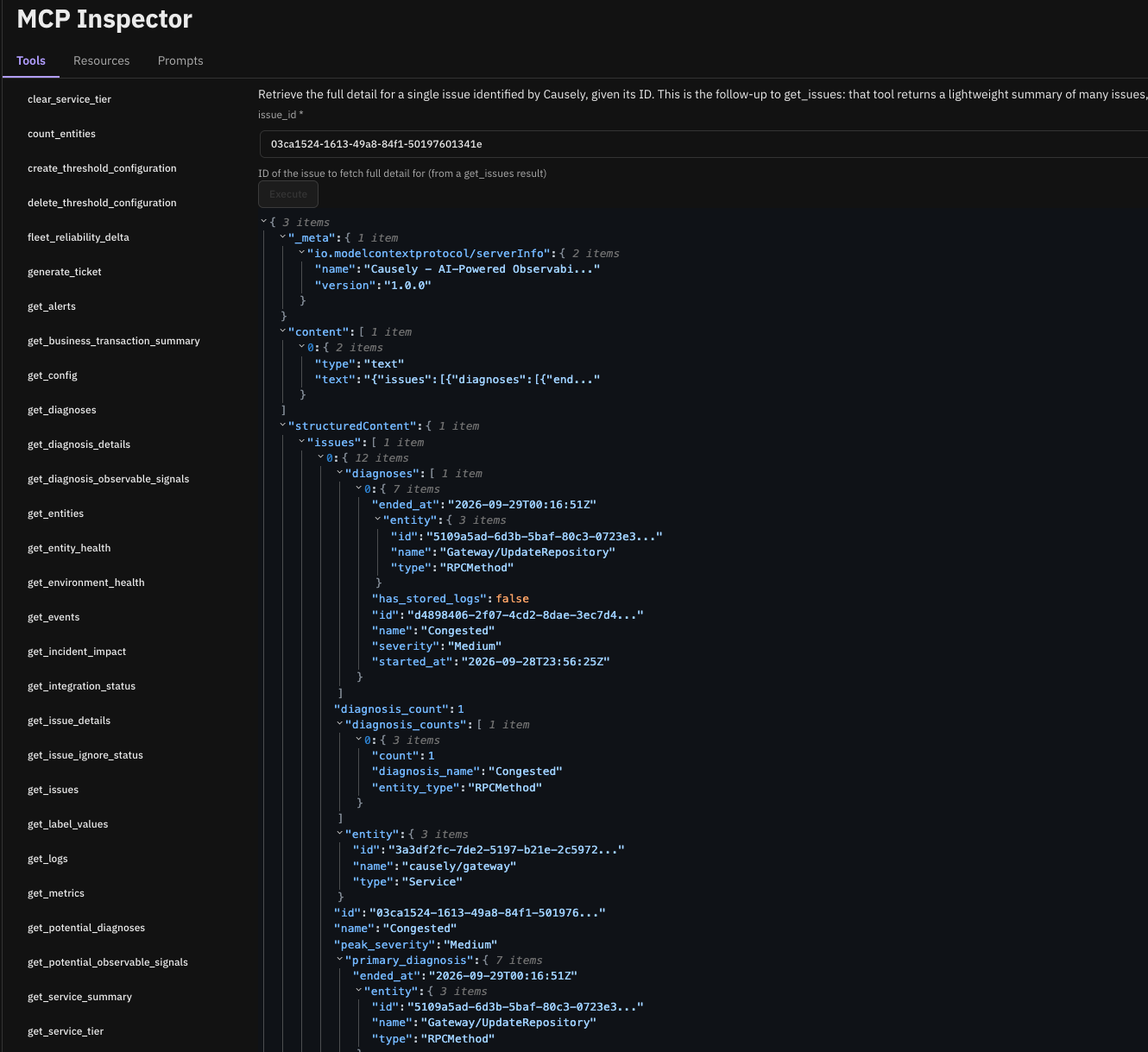
MCP Inspector in the product (early access)
You can now browse the Causely MCP tools, see example inputs and outputs, and run tool calls against your own environment from within the Causely UI. Until now, trying a tool meant wiring up an external MCP client first. This gives teams building agent workflows a place to start before writing any code. Available in early access; contact Causely to enable it.
Configure SLO targets
The SLO target for a service, for example 99% or 95%, and the burn rate threshold that marks an SLO at risk are now configurable through the API and the MCP threshold configuration tools. Causely generates an SLO for every service automatically, and those SLOs drive the urgency of Issues, so until now every service was held to the same default target regardless of how critical it was. Teams can tighten targets on revenue-critical services and relax them on internal ones, and Issue urgency follows. Through MCP, use create_threshold_configuration and update_threshold_configuration with the TargetThreshold and BurnRate keys, scoped to a single SLO, a label selector, or globally.
Minor Improvements
- Notifications by Issue category (API): Notification rules can now filter on Issue categories such as Congestion, Malfunction, Frequent Crash, and Infrastructure instead of naming individual diagnoses, and notifications send updates as an Issue changes. Available through the API in this release.
- MCP OAuth: The OAuth flow now enforces PKCE and issues refresh tokens. Connectors stay authorized after access tokens expire instead of prompting each user to re-authorize.
- Latency thresholds: The minimum latency threshold has been raised so brief, low-latency deviations no longer produce urgent Issues.
- Potential diagnoses: The potential diagnoses view now uses the entity causality graph, so what could break for a given entity reflects the current model.
- Notification setup: The token field is now flagged as required when a Slack channel ID is provided without a webhook URL.
- Integrations page: The cluster column is wider by default, and cluster names no longer link to an empty cluster entity page.
- Kafka topics on unknown brokers: Kafka topics on unknown brokers discovered through traces were sometimes classified as queues. They are now identified correctly.
- Remediation guidance: The remediation disclaimer now appears only where it is relevant, rather than on every remediation.